despription: A short lead description about this content page. Text here can also be bold or italic and can even be split over multiple paragraphs.
This is a placeholder page that shows you how to use this template site.
Text can be bold, italic, or strikethrough. Links should be blue with no underlines (unless hovered over).
Blockquotes should be a lighter gray
with a border along the left side in the secondary color.
Header 2 (Header 1 is for title.)
This is a blockquote following a header. Bacon ipsum dolor sit amet t-bone doner shank drumstick, pork belly porchetta chuck sausage brisket ham hock rump pig. Chuck kielbasa leberkas, pork bresaola ham hock filet mignon cow shoulder short ribs biltong.
Header 3
This is a code block following a header.
Header 4
This is an unordered list following a header.
This is an unordered list following a header.
This is an unordered list following a header.
This is an ordered list following a header.
This is an ordered list following a header.
This is an ordered list following a header.
Header 5
And an unordered task list:
Create a sample markdown document
Add task lists to it
Take a vacation
And a nested list:
Jackson 5
Michael
Tito
Jackie
Marlon
Jermaine
TMNT
Leonardo
Michelangelo
Donatello
Raphael
Header 6
What
Follows
A table
A header
A table
A header
A table
A header
There’s a horizontal rule above and below this.
Definition lists can be used with Markdown syntax. Definition terms are bold.
Name
Godzilla
Born
1952
Birthplace
Japan
Color
Green
Tables should have bold headings and alternating shaded rows.
Artist
Album
Year
Michael Jackson
Thriller
1982
Prince
Purple Rain
1984
Beastie Boys
License to Ill
1986
If a table is too wide, it should scroll horizontally.
Artist
Album
Year
Label
Awards
Songs
Michael Jackson
Thriller
1982
Epic Records
Grammy Award for Album of the Year, American Music Award for Favorite Pop/Rock Album, American Music Award for Favorite Soul/R&B Album, Brit Award for Best Selling Album, Grammy Award for Best Engineered Album, Non-Classical
Wanna Be Startin’ Somethin’, Baby Be Mine, The Girl Is Mine, Thriller, Beat It, Billie Jean, Human Nature, P.Y.T. (Pretty Young Thing), The Lady in My Life
Prince
Purple Rain
1984
Warner Brothers Records
Grammy Award for Best Score Soundtrack for Visual Media, American Music Award for Favorite Pop/Rock Album, American Music Award for Favorite Soul/R&B Album, Brit Award for Best Soundtrack/Cast Recording, Grammy Award for Best Rock Performance by a Duo or Group with Vocal
Let’s Go Crazy, Take Me With U, The Beautiful Ones, Computer Blue, Darling Nikki, When Doves Cry, I Would Die 4 U, Baby I’m a Star, Purple Rain
Beastie Boys
License to Ill
1986
Mercury Records
noawardsbutthistablecelliswide
Rhymin & Stealin, The New Style, She’s Crafty, Posse in Effect, Slow Ride, Girls, (You Gotta) Fight for Your Right, No Sleep Till Brooklyn, Paul Revere, Hold It Now, Hit It, Brass Monkey, Slow and Low, Time to Get Ill
Code snippets like var foo = "bar"; can be shown inline.
Also, this should vertically alignwith thisand this.
Long, single-line code blocks should not wrap. They should horizontally scroll if they are too long. This line should be long enough to demonstrate this.
Inline code inside table cells should still be distinguishable.
Language
Code
Javascript
var foo = "bar";
Ruby
foo = "bar"{
Small images should be shown at their actual size.
Large images should always scale down and fit in the content container.
Components
Alerts
This is an alert.
Note:
This is an alert with a title.
This is a successful alert.
This is a warning!
Warning!
This is a warning with a title!
Including images
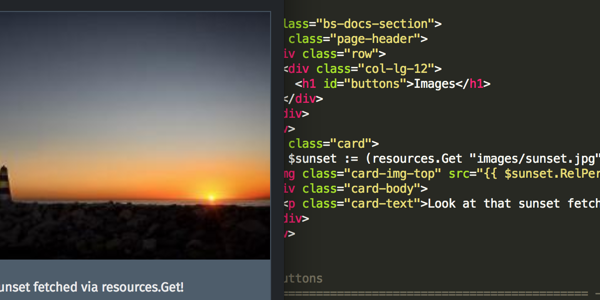
Here’s an image (featured-sunset-get.png) that includes a byline and a caption.
Fetch and scale an image in the upcoming Hugo 0.43.

Photo: name / CC-BY-CA
The front matter of this post specifies properties to be assigned to all image resources:
Add generated diagrams and scientific formulae to your site.
Docsy has built-in support for a number of diagram creation and typesetting tools you can use to add rich content to your site, including \(\KaTeX\), Mermaid, Diagrams.net, PlantUML, and MarkMap.
\(\LaTeX\) support with \(\KaTeX\)
\(\LaTeX\) is a high-quality typesetting system for the production of technical and scientific documentation. Due to its excellent math typesetting capabilities, \(\TeX\) became the de facto standard for the communication and publication of scientific documents, especially if these documents contain a lot of mathematical formulae. Designed and mostly written by Donald Knuth, the initial version was released in 1978. Dating back that far, \(\LaTeX\) has pdf as its primary output target and is not particularly well suited for producing HTML output for the Web. Fortunately, with \(\KaTeX\) there exists a fast and easy-to-use JavaScript library for \(\TeX\) math rendering on the web, which was integrated into the Docsy theme.
With \(\KaTeX\) support enabled in Docsy, you can include complex mathematical formulae into your web page, either inline or centred on its own line. Since \(\KaTeX\) relies on server side rendering, it produces the same output regardless of your browser or your environment. Formulae can be shown either inline or in display mode:
Inline formulae
The following code sample produces a text line with three inline formulae:
When \\(a \ne 0\\), there are two solutions to \\(ax^2 + bx + c= 0\\) and they are \\(x = {-b \pm\sqrt{b^2-4ac}\over 2a}\\).
When \(a \ne 0\), there are two solutions to \(ax^2 + bx + c= 0\) and they are \(x = {-b \pm \sqrt{b^2-4ac} \over 2a}\).
Formulae in display mode
The following code sample produces an introductory text line followed by a formula numbered as (1) residing on its own line:
The probability of getting \\(k\\) heads when flipping \\(n\\) coins is:
```math
\tag*{(1)} P(E) = {n \choose k} p^k (1-p)^{n-k}
```
The formula itself is written inside a GLFM math block. The above code fragment renders to:
The probability of getting \(k\) heads when flipping \(n\) coins is:
This wiki page provides in-depth information about typesetting mathematical formulae using the \(\LaTeX\) typesetting system.
Activating and configuring \(\KaTeX\) support
Auto activation
As soon as you use a math code block on your page, support of \(\KaTeX\) is automatically enabled.
Manual activation (no math code block present or hugo 0.92 or lower)
If you want to use inline formulae and don’t have a math code block present in your page which triggers auto activation, you need to manually activate \(\KaTeX\) support. The easiest way to do so is to add a math attribute to the frontmatter of your page and set it to true:
+++math=true+++
---math:true---
{"math":true}
If you use formulae in most of your pages, you can also enable sitewide \(\KaTeX\) support inside the Docsy theme. To do so update hugo.toml/hugo.yaml/hugo.json:
[params.katex]enable=true
params:katex:enable:true
{"params":{"katex":{"enable":true}}}
Additionally, you can customize various \(\KaTeX\) options inside hugo.toml/hugo.yaml/hugo.json, if needed:
[params.katex]# enable/disable KaTeX supportenable=true# Element(s) scanned by auto render extension. Default: document.bodyhtml_dom_element="document.body"[params.katex.options]# If true (the default), KaTeX will throw a ParseError when it encounters an# unsupported command or invalid LaTeX. If false, KaTeX will render unsupported# commands as text, and render invalid LaTeX as its source code with hover text# giving the error, in the color given by errorColor.throwOnError=falseerrorColor="#CD5C5C"# This is a list of delimiters to look for math, processed in the same order as# the list. Each delimiter has three properties:# left: A string which starts the math expression (i.e. the left delimiter).# right: A string which ends the math expression (i.e. the right delimiter).# display: Whether math in the expression should be rendered in display mode.[[params.katex.options.delimiters]]left="$$"right="$$"display=true[[params.katex.options.delimiters]]left="$"right="$"display=false[[params.katex.options.delimiters]]left="\\("right="\\)"display=false[[params.katex.options.delimiters]]left="\\["right="\\]"display=true
params:katex:enable:true# enable/disable KaTeX supporthtml_dom_element: document.body # Element(s) scanned by auto render extension. Default:document.bodyoptions:# If true (the default), KaTeX will throw a ParseError when it encounters an# unsupported command or invalid LaTeX. If false, KaTeX will render unsupported# commands as text, and render invalid LaTeX as its source code with hover text# giving the error, in the color given by errorColor.throwOnError:falseerrorColor:'#CD5C5C'# This is a list of delimiters to look for math, processed in the same order as# the list. Each delimiter has three properties:# left: A string which starts the math expression (i.e. the left delimiter).# right: A string which ends the math expression (i.e. the right delimiter).# display: Whether math in the expression should be rendered in display mode.delimiters:- left:$$right:$$display:true- left:$right:$display:false- left:\(right:\)display:false- left:\[right:\]display:true
For a complete list of options and their detailed description, have a look at the documentation of \({\KaTeX}\)’s Rendering API options and of \({\KaTeX}\)’s configuration options.
Display of Chemical Equations and Physical Units
mhchem is a \(\LaTeX\) package for typesetting chemical molecular formulae and equations. Fortunately, \(\KaTeX\) provides the mhchemextension that makes the mhchem package accessible when authoring content for the web. With mhchem extension enabled, you can easily include chemical equations into your page. An equation can be shown either inline or can reside on its own line. The following code sample produces a text line including a chemical equation:
*Precipitation of barium sulfate:* \\(\ce{SO4^2- + Ba^2+ -> BaSO4 v}\\)
Precipitation of barium sulfate: \(\ce{SO4^2- + Ba^2+ -> BaSO4 v}\)
More complex equations need to be displayed on their own line. Use a code block adorned with chem in order to achieve this:
The manual for mchem’s input syntax provides in-depth information about typesetting chemical formulae and physical units using the mhchem tool.
Use of mhchem is not limited to the authoring of chemical equations, using the included \pu command, pretty looking physical units can be written with ease, too. The following code sample produces two text lines with four numbers plus their corresponding physical units:
* Scientific number notation: \\(\pu{1.2e3 kJ}\\) or \\(\pu{1.2E3 kJ}\\) \\
* Divisions: \\(\pu{123 kJ/mol}\\) or \\(\pu{123 kJ//mol}\\)
Scientific number notation: \(\pu{1.2e3 kJ}\) or \(\pu{1.2E3 kJ}\)
Divisions: \(\pu{123 kJ/mol}\) or \(\pu{123 kJ//mol}\)
For a complete list of options when authoring physical units, have a look at the section on physical units in the mhchem documentation.
Activating rendering support for chemical formulae
Auto activation
As soon as you use a chem code block on your page, rendering support for chemical equations is automatically enabled.
Manual activation (no chem code block present or hugo 0.92 or lower)
If you want to use chemical formulae inline and don’t have a chem code block present in your page which triggers auto activation, you need to manually activate rendering support for chemical formulae. The easiest way to do so is to add a chem attribute to the frontmatter of your page and set it to true:
+++chem=true+++
---chem:true---
{"chem":true}
If you use formulae in most of your pages, you can also enable sitewide rendering support for chemical formulae inside the Docsy theme. To do so, enable mhchem inside your hugo.toml/hugo.yaml/hugo.json:
Mermaid is a Javascript library for rendering simple text definitions to useful diagrams in the browser. It can generate a variety of different diagram types, including flowcharts, sequence diagrams, class diagrams, state diagrams, ER diagrams, user journey diagrams, Gantt charts and pie charts.
With Mermaid support enabled in Docsy, you can include the text definition of a Mermaid diagram inside a code block, and it will automatically be rendered by the browser as soon as the page loads.
The great advantage of this is anyone who can edit the page can now edit the diagram - no more hunting for the original tools and version to make a new edit.
For example, the following defines a sequence diagram:
```mermaid
sequenceDiagram
    autonumber
    Docsy user->>Discussion board: Ask question
    Discussion board->>Community member: read question
    loop Different strategies
    Community member->>Test instance: Investigate issue raised
    end
    Note right of Community member: After hours of investigation:
    Test instance-->>Community member: Come up with solution
    Community member-->>Discussion board: Propose solution
    Discussion board-->>Docsy user: check proposed solution
    Docsy user->>Discussion board: Mark question as resolved
    Docsy user->>Docsy user: Being happy
```
which is automatically rendered to:
sequenceDiagram
    autonumber
    Docsy user->>Discussion board: Ask question
    Discussion board->>Community member: read question
    loop Different strategies
    Community member->>Test instance: Investigate issue raised
    end
    Note right of Community member: After hours of investigation:
    Test instance-->>Community member: Come up with solution
    Community member-->>Discussion board: Propose solution
    Discussion board-->>Docsy user: check proposed solution
    Docsy user->>Discussion board: Mark question as resolved
    Docsy user->>Docsy user: Being happy
Support of Mermaid diagrams is automatically enabled as soon as you use a mermaid code block on your page.
By default, docsy pulls in the latest officially released version of Mermaid at build time. If that doesn’t fit your needs, you can specify the wanted mermaid version inside your configuration file hugo.toml/hugo.yaml/hugo.json:
[params.mermaid]version="10.9.0"
params:mermaid:version:10.9.0
{"params":{"mermaid":{"version":"10.9.0"}}}
If needed, you can define custom settings for your diagrams, such as themes, padding in your hugo.toml/hugo.yaml/hugo.json.
Settings can also be overridden on a per-diagram basis by making use of a frontmatter config block at the start of the diagram definition.
UML Diagrams with PlantUML
PlantUML is an alternative to Mermaid that lets you quickly create UML diagrams, including sequence diagrams, use case diagrams, and state diagrams. Unlike Mermaid diagrams, which are entirely rendered in the browser, PlantUML uses a PlantUML server to create diagrams. You can use the provided default demo server (not recommended for production use), or run a server yourself. PlantUML offers a wider range of image types than Mermaid, so may be a better choice for some use cases.
```plantuml
participant participant as Foo
actor       actor       as Foo1
boundary    boundary    as Foo2
control     control     as Foo3
entity      entity      as Foo4
database    database    as Foo5
collections collections as Foo6
queue       queue       as Foo7
Foo -> Foo1 : To actor
Foo -> Foo2 : To boundary
Foo -> Foo3 : To control
Foo -> Foo4 : To entity
Foo -> Foo5 : To database
Foo -> Foo6 : To collections
Foo -> Foo7: To queue
```
Automatically renders to:
participant participant as Foo
actor       actor       as Foo1
boundary    boundary    as Foo2
control     control     as Foo3
entity      entity      as Foo4
database    database    as Foo5
collections collections as Foo6
queue       queue       as Foo7
Foo -> Foo1 : To actor
Foo -> Foo2 : To boundary
Foo -> Foo3 : To control
Foo -> Foo4 : To entity
Foo -> Foo5 : To database
Foo -> Foo6 : To collections
Foo -> Foo7: To queue
To enable/disable PlantUML, update hugo.toml/hugo.yaml/hugo.json:
[params.plantuml]enable=true
params:plantuml:enable:true
{"params":{"plantuml":{"enable":true}}}
Other optional settings are:
[params.plantuml]enable=truetheme="default"# Set url to plantuml server# default is http://www.plantuml.com/plantuml/svg/svg_image_url="https://www.plantuml.com/plantuml/svg/"# By default the plantuml implementation uses <img /> tags to display UML diagrams.# When svg is set to true, diagrams are displayed using <svg /> tags, maintaining functionality like links e.g.# default = falsesvg=true
params:plantuml:enable:truetheme:default# Set url to plantuml server# default is http://www.plantuml.com/plantuml/svg/svg_image_url:'https://www.plantuml.com/plantuml/svg/'# By default the plantuml implementation uses <img /> tags to display UML diagrams.# When svg is set to true, diagrams are displayed using <svg /> tags, maintaining functionality like links e.g.# default = falsesvg:true
To enable/disable MarkMap, update hugo.toml/hugo.yaml/hugo.json:
[params.markmap]enable=true
params:markmap:enable:true
{"params":{"markmap":{"enable":true}}}
Diagrams with Diagrams.net
Diagrams.net (aka draw.io) provides a free and open source diagram editor that can generate a wider range of diagrams than Mermaid or PlantUML using a web or desktop editor.
SVG and PNG files exported with the tool contain the source code of the original diagram by default, which allows the diagrams.net site to import those images again for edit in the future. With draw.io enabled, Docsy will detect this and automatically add an Edit button over any image that can be edited using the online site.
Hover over the image below and click edit to instantly start working with it. Clicking the Save button will cause the edited diagram to be exported using the same filename and filetype, and downloaded to your browser.
Note
If you’re creating a new diagram, be sure to File -> Export in either svg or png format (svg is usually the best choice) and ensure the Include a copy of my diagram is selected so it can be edited again later.
As the diagram data is transported via the browser, the diagrams.net server does not need to access the content on your Docsy server directly at all.
Mouse over the above image and click the Edit button!
To enable detection of diagrams, update hugo.toml/hugo.yaml/hugo.json:
[params.drawio]enable=true
params:drawio:enable:true
{"params":{"drawio":{"enable":true}}}
You can also deploy and use your own server for editing diagrams, in which case update the configuration to point to that server:
Now we have two possible values for \(w\). We must solve for \(z\) by substituting back \(w = e^{iz}\), which means \(iz = \log(w)\). Remember that the complex logarithm is multi-valued: \(\log(w) = \ln|w| + i(\arg(w) + 2n\pi)\) for \(n \in \mathbb{Z}\).
Case 1: \(w = (5 + 2\sqrt{6})i\)
\(|w| = 5 + 2\sqrt{6}\). The argument \(\arg(w)\) is \(\frac{\pi}{2}\) since it’s on the positive imaginary axis.
For the path integral \(\oint_C \frac{z}{(z - 3)(z + 1 + i)} dz\), calculate its values at \(|z| = 1\) and \(|z| = 4\).
Solution
The integrand is \(f(z) = \frac{z}{(z - 3)(z - (-1 - i))}\). The function has two simple poles at \(z_1 = 3\) and \(z_2 = -1 - i\).
Case 1: C is the circle \(|z| = 1\)
We check if the poles lie inside the contour \(C\).
For \(z_1 = 3\): \(|z_1| = |3| = 3\). Since \(3 > 1\), this pole is outside the contour.
For \(z_2 = -1 - i\): \(|z_2| = |-1 - i| = \sqrt{(-1)^2 + (-1)^2} = \sqrt{2} \approx 1.414\). Since \(\sqrt{2} > 1\), this pole is also outside the contour.
Since the function \(f(z)\) is analytic everywhere inside and on the contour \(|z|=1\), by Cauchy’s Integral Theorem, the value of the integral is 0.
Case 2: C is the circle \(|z| = 4\)
We check if the poles lie inside this new contour.
For \(z_1 = 3\): \(|z_1| = 3\). Since \(3 < 4\), this pole is inside the contour.
For \(z_2 = -1 - i\): \(|z_2| = \sqrt{2}\). Since \(\sqrt{2} < 4\), this pole is also inside the contour.
Since both poles are inside, we use the Residue Theorem. The integral is \(2\pi i\) times the sum of the residues at the enclosed poles.
The value of the integral is \(2\pi i \times (\text{Sum of residues}) = 2\pi i \times 1 = \mathbf{2\pi i}\).
5. Path Integral on the Unit Circle
Problem
For the path integral \(\oint_C \frac{d\theta}{z + \cos\theta}\) calculate its value at \(|z| = 1\) (where \(z = e^{i\theta}, 0 \le \theta \le 2\pi\)).
Solution
We convert the entire integral into the \(z\) domain. The contour \(C\) is the unit circle.
\(z = e^{i\theta}\)
\(dz = i e^{i\theta} d\theta = iz d\theta \implies d\theta = \frac{dz}{iz}\)
Now we use the Residue Theorem. The poles are the roots of \(3z^2 + 1 = 0\), which means \(z^2 = -1/3\), so \(z = \pm \frac{i}{\sqrt{3}}\).
Both poles, \(z_1 = \frac{i}{\sqrt{3}}\) and \(z_2 = -\frac{i}{\sqrt{3}}\), have a magnitude of \(\frac{1}{\sqrt{3}} \approx 0.577\), which is less than 1. Therefore, both poles are inside the unit circle contour.
Let \(g(z) = \frac{1}{3z^2+1} = \frac{1}{3(z - i/\sqrt{3})(z + i/\sqrt{3})}\).
We integrate \(f(z)\) over a semi-circular contour \(C\) in the upper half-plane, consisting of the real axis from \(-R\) to \(R\) and a semi-circular arc \(\Gamma\) of radius \(R\). As \(R \to \infty\):
Now we find the value of the contour integral using the Residue Theorem. The poles of \(f(z) = \frac{z e^{iz}}{(z - ia)(z + ia)}\) are at \(z = \pm ia\). Assuming \(a > 0\), only the pole at \(z = ia\) is inside our contour in the upper half-plane.
We can combine these two real equations into a single complex differential equation by defining \(Z(t) = x(t) + i y(t)\). The forcing function becomes \(\cos(4t) + i \sin(4t) = e^{i4t}\).
The solutions for \(x(t)\) and \(y(t)\) are the real and imaginary parts of \(Z_p\), respectively.
\(x(t) = \text{Re}(Z_p)\) = \(\frac{3}{85}\sin(4t) - \frac{7}{170}\cos(4t)\)
\(y(t) = \text{Im}(Z_p)\) = \(-\frac{7}{170}\sin(4t) - \frac{3}{85}\cos(4t)\)
2. Complex Potential Function
Problem
Given a complex function \(f(z) = z + \frac{a^2}{z}\):
Find the real part \(\Phi(r, \theta)\) and the imaginary part \(\Psi(r, \theta)\) of \(f(z)\).
Show \(\left. \frac{\partial\Phi}{\partial r} \right|_{r=a} = 0\).
Solution
(1) Real and Imaginary Parts
We express \(z\) in polar coordinates as \(z = r e^{i\theta} = r(\cos\theta + i \sin\theta)\). Substitute this into \(f(z)\):
$$f(z) = r(\cos\theta + i \sin\theta) + \frac{a^2}{r(\cos\theta + i \sin\theta)}$$
For the second term, we use \(\frac{1}{e^{i\theta}} = e^{-i\theta} = \cos\theta - i \sin\theta\):
$$f(z) = r \cos\theta + i r \sin\theta + \frac{a^2}{r}(\cos\theta - i \sin\theta)$$
The real part \(\Phi\) (the velocity potential) and the imaginary part \(\Psi\) (the stream function) are:
\(\Phi(r, \theta) = \left(r + \frac{a^2}{r}\right)\cos\theta\)\(\Psi(r, \theta) = \left(r - \frac{a^2}{r}\right)\sin\theta\)
(2) Show the Boundary Condition
We need to calculate the partial derivative of \(\Phi\) with respect to \(r\) and then evaluate it at \(r=a\).
This confirms that the radial velocity \(u_r\) is zero on the circle \(r=a\), which is the correct boundary condition for non-penetrating flow around a cylinder. ✅
3. Boundary Condition for Flow in a Corner
Problem
Regarding the flow shown in Figure 26-3, find the boundary condition corresponding to eq. (26-10) with respect to \(\Psi\).
Solution
Figure 26-3 typically depicts potential flow within a 90-degree corner, where the boundaries are the positive x-axis and the positive y-axis.
Physical Meaning of \(\Psi\): The imaginary part of the complex potential, \(\Psi\), is the stream function. By definition, lines where \(\Psi\) is constant are streamlines, which are the paths that fluid particles follow.
Boundary Condition on a Solid Wall: In ideal fluid flow, there can be no flow across (i.e., through) a solid boundary. This means that any solid boundary must itself be a streamline.
Applying to the Figure: The walls in the figure are the positive x-axis (\(y=0, x>0\)) and the positive y-axis (\(x=0, y>0\)). Since these are solid boundaries, they must be streamlines. Therefore, the stream function \(\Psi\) must be constant along these axes.
By convention, the constant value for one of the boundaries is chosen to be zero. For the flow in a corner bounded by the positive x and y axes, the boundary condition for the stream function \(\Psi\) is:
\(\Psi = 0\) on the positive x-axis and the positive y-axis.
This ensures that the axes themselves represent the path of the fluid particles adjacent to the walls, fulfilling the no-flow-through condition.
2.1.1.2 - Mathematics Ⅱ
Mathematics Ⅱ
2.1.1.2.1 - 4 - Fourier Transform
4 - Fourier Transform
Fourier Transform and Integral Evaluation
(1-1) Find the Fourier transform of \(f(x) = e^{-|x|}\)
We define the Fourier transform of a function \(f(x)\) as:
Since the left side depends only on \(t\) and the right side depends only on \(x\), they must both be equal to a constant. We call this the separation constant, \(k\). This leads to two ordinary differential equations (ODEs):
Time-dependent ODE: \(\frac{T’(t)}{\alpha T(t)} = k \implies T’(t) - \alpha k T(t) = 0\)
Space-dependent ODE: \(\frac{X’’(x)}{X(x)} = k \implies X’’(x) - k X(x) = 0\)
(2) Show that the separation constant k must be negative
We analyze the spatial ODE \(X’’(x) - kX(x) = 0\) along with the boundary conditions. The boundary conditions for \(u(x,t)\) are \(u_x(0,t) = 0\) and \(u_x(2,t) = 0\). In terms of \(X(x)\), these become \(X’(0) = 0\) and \(X’(2) = 0\).
Case 1: \(k > 0\). Let \(k = \lambda^2\) where \(\lambda > 0\).
The ODE is \(X’’(x) - \lambda^2 X(x) = 0\). The general solution is \(X(x) = C_1 e^{\lambda x} + C_2 e^{-\lambda x}\).
The derivative is \(X’(x) = C_1 \lambda e^{\lambda x} - C_2 \lambda e^{-\lambda x}\).
Applying the boundary conditions:
\(X’(2) = C_1\lambda e^{2\lambda} - C_2\lambda e^{-2\lambda} = C_1\lambda(e^{2\lambda} - e^{-2\lambda}) = 0\).
Since \(\lambda > 0\), the term \((e^{2\lambda} - e^{-2\lambda})\) is not zero. Thus, we must have \(C_1 = 0\), which implies \(C_2 = 0\). This gives \(X(x) = 0\), the trivial solution, which is not of interest.
Case 2: \(k = 0\).
The ODE is \(X’’(x) = 0\). The general solution is \(X(x) = C_1 x + C_2\).
The derivative is \(X’(x) = C_1\).
Applying the boundary conditions:
\(X’(0) = C_1 = 0\).
\(X’(2) = C_1 = 0\).
This requires \(C_1 = 0\), but \(C_2\) can be any constant. So, \(X(x) = C_2\) is a non-trivial solution. This constant solution is physically important as it relates to the steady-state temperature.
Case 3: \(k < 0\). Let \(k = -\lambda^2\) where \(\lambda > 0\).
The ODE is \(X’’(x) + \lambda^2 X(x) = 0\). The general solution is \(X(x) = C_1\cos(\lambda x) + C_2\sin(\lambda x)\).
The derivative is \(X’(x) = -C_1\lambda\sin(\lambda x) + C_2\lambda\cos(\lambda x)\).
Applying the boundary conditions:
With \(C_2=0\), the second condition becomes \(X’(2) = -C_1\lambda\sin(2\lambda) = 0\).
To have a non-trivial solution, we need \(C_1 \ne 0\), which means we must have \(\sin(2\lambda) = 0\). This occurs when \(2\lambda = n\pi\) for \(n = 1, 2, 3, \dots\).
Therefore, to obtain non-trivial, time-decaying solutions of interest, the separation constant \(k\) must be negative. The case \(k=0\) gives a constant steady-state solution.
(3) Find u(x, t) for the initial condition f(x) = 100
From our analysis, the eigenvalues are \(\lambda_n = \frac{n\pi}{2}\), which gives \(k_n = -\lambda_n^2 = -\left(\frac{n\pi}{2}\right)^2\) for \(n=1, 2, \dots\). The case \(k=0\) corresponds to an eigenvalue \(\lambda_0 = 0\). The general solution is a superposition of all possible solutions:
This is the Fourier cosine series for the function \(f(x) = 100\). By inspection, we can see that the function is already a constant. The constant term \(A_0\) must be 100, and all other coefficients \(A_n\) for \(n \ge 1\) must be 0.
Alternatively, using the formula for Fourier cosine coefficients on an interval \([0, L]\) with \(L=2\):
$$A_n = \frac{2}{2}\int_0^2 x \cos\left(\frac{n\pi x}{2}\right)dx = \frac{4}{n^2\pi^2}((-1)^n - 1)$$
This means \(A_n=0\) for even \(n\), and \(A_n = -\frac{8}{n^2\pi^2}\) for odd \(n\). Substituting these coefficients into the general solution for \(u(x,t)\):
We will plot the partial sum of the solution from Q(4) up to \(n<10\) (which includes \(n=1,3,5,7,9\), so the sum runs from \(k=1\) to \(k=5\)). We set \(\alpha=1\). The function to plot is:
t = 0.0: The exponential term is 1. The graph is a Fourier cosine series approximation of the initial condition \(f(x) = x\). It will be a line starting near \((0,0)\) and rising to near \((2,2)\).
t = 0.2: The terms with higher frequencies (larger \(k\)) decay faster due to the \((2k-1)^2\) term in the exponent. The graph becomes a smoother curve, still rising but flatter than the initial line.
t = 0.7: The decay is much more significant. The curve is now much flatter and getting closer to the steady-state temperature.
t = 2.0: All exponential terms in the sum are extremely small. The graph is now almost a flat horizontal line at the steady-state temperature.
The steady-state solution is the value as \(t \to \infty\). In this case, all exponential terms go to zero, and \(u(x,t) \to A_0 = 1\). This value represents the average of the initial temperature over the bar: \(\frac{1}{2}\int_0^2 x,dx = 1\).
The evolution of the temperature is shown in the plot. The temperature profile starts as the line \(u=x\), and as time progresses, heat redistributes within the insulated bar, causing the temperature to even out until it reaches a uniform steady state of \(u=1\).